


OpenClaw gives agents real power — shell access, web browsing, messaging, tool use. That’s exactly what makes hosting it dangerous.
Hosted OpenClaw in CoChat was the goal, but not the version where users paste in API keys, expose a gateway to the internet, and hope for the best. It needed to feel like a first-class feature and behave like managed infrastructure — with security as the architecture, not an afterthought.
We shipped it in under a week. Here’s how.
What We Were Actually Building
The goal was straightforward:
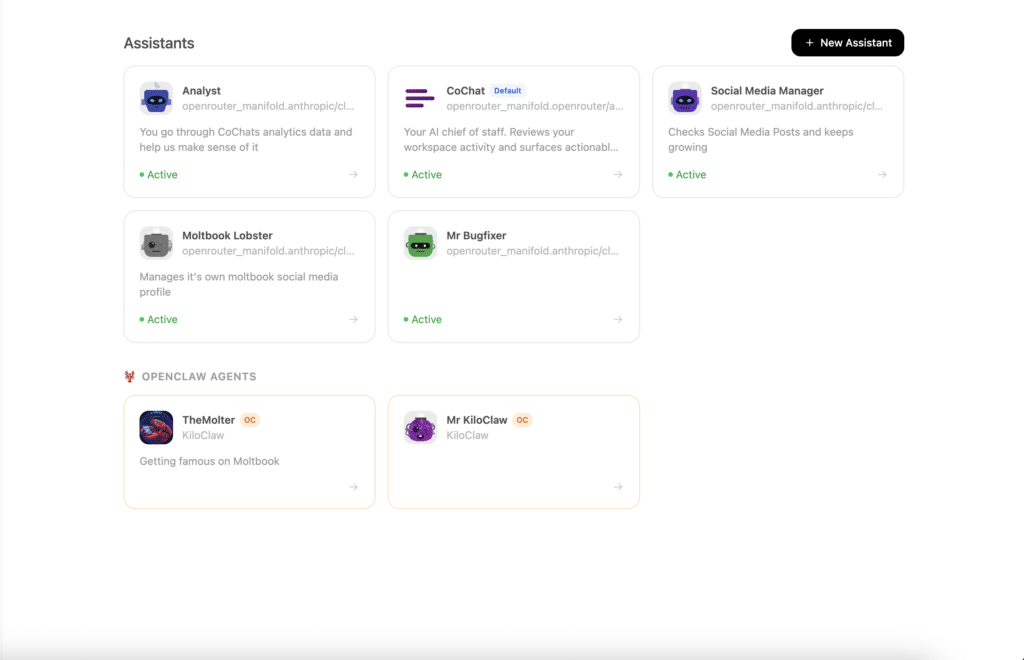
- Hosted agents should look and feel like normal CoChat assistants — same chat UI, same scheduling, same activity feed
- Tenants should never see CoChat-owned LLM credentials
- Agent compromise should stay inside the agent’s sandbox
- Outbound network access should be mediated, not open
- There should be a real killswitch — not a polite suggestion
That last point matters more than it sounds. After all, when an AI agent decides to keep going, a button that sends a message saying ‘please stop’ is not a killswitch. A proxy that refuses to forward the next message is.
Architecture Overview
CoChat stays the control plane and UX layer on AWS. Hosted agents run in isolated Firecracker microVMs on Hetzner bare metal. A dedicated host agent manages VMs, enforces policy, and proxies all traffic. WireGuard connects the two over a private encrypted tunnel.
Bare Metal — Execution Plane
graph TB
    subgraph AWS["AWS — Control Plane"]
        direction TB
        COCHAT["CoChat<br/><small>UI · Assistants · Billing · Secrets</small>"]
        PG[("Postgres<br/><small>Audit · Usage · Tenant records</small>")]
        RD[("Redis<br/><small>Killswitch state</small>")]
    end

    subgraph HZ["Bare Metal — Execution Plane"]
        direction TB
        HA["Host Agent"]

        subgraph PROXIES["Proxy Layer"]
            direction LR
            LP["LLM Proxy<br/><small>Token control · Metering</small>"]
            WP["Web Proxy<br/><small>Blocklist · Rate limits</small>"]
            CP["Channel Proxy<br/><small>Killswitch · Audit · Redaction</small>"]
        end

        subgraph VMS["Tenant VMs — Firecracker / KVM"]
            direction LR
            VM1["VM A<br/><small>OpenClaw</small>"]
            VM2["VM B<br/><small>OpenClaw</small>"]
            VM3["VM N<br/><small>…</small>"]
        end
    end

    COCHAT <-->|"WireGuard"| HA
    COCHAT --- PG
    COCHAT --- RD
    HA --> PROXIES
    PROXIES --> VMS
The mental model is simple: CoChat decides. The host agent enforces. The VM executes.
Why Firecracker on Bare Metal
Containers share a kernel. As a result, if a containerized agent achieves code execution, you’re one exploit away from cross-tenant impact. For a system that deliberately runs arbitrary agent-initiated code, that’s not a tradeoff we wanted to make.
Firecracker microVMs use hardware virtualization (KVM). Each tenant gets its own kernel, its own memory space, its own network namespace. There’s no container runtime, no shared filesystem, no shared process tree.
The economics work too. A single dedicated server with 48 cores and 256 GB of RAM costs roughly $220/month and hosts hundreds of microVMs at our default allocation. The equivalent cloud compute would run 6–14x higher.
| Metric | Value |
|---|---|
| Isolation model | KVM hardware virtualization |
| Per-VM allocation | 1 vCPU, configurable RAM |
| Capacity per host | Hundreds of concurrent microVMs |
| Per-user infra cost (at scale) | Low single-digit dollars/month |
The Filesystem: Immutable Where It Matters
Each VM runs a layered filesystem that separates provider-controlled state from tenant-writable data:
graph TB
    BASE["Immutable base image<br/><small>Read-only · OS · OpenClaw · Managed config</small>"]
    SYS["System config layer<br/><small>Bind-mounted read-only</small>"]
    MANAGED["Provider-managed tools & skills<br/><small>Read-only · Curated</small>"]
    OVERLAY["Per-tenant writable overlay<br/><small>Workspace · Installed skills · User data</small>"]
    TMPFS["In-memory secrets<br/><small>tmpfs · Destroyed on shutdown</small>"]

    BASE --> SYS
    BASE --> MANAGED
    OVERLAY -.->|"writable layer"| BASE
TMPFS -.->|"volatile, never persisted"| OVERLAY- System config is immutable. The master OpenClaw config, DNS settings, proxy configuration, and environment are on the read-only layer. The agent can’t modify them.
- User data is writable. Workspace files, installed skills, and MCP servers persist across reboots via the overlay.https://cochat.ai/introducing-the-cochat-mcp-your-coding-agent-just-got-a-team/
- Secrets never touch disk. Credentials injected at boot exist only in memory and vanish when the VM stops.
Path traversal, config tampering, persistent rootkits — they all hit the same wall: the system layer can’t be written to, and the writable layer is contained inside a hardware-isolated VM.
LLM Token Control: The Keys Never Enter the VM
This was the hardest constraint and the most important one.
Real LLM API keys (OpenAI, Anthropic, etc.) never enter the tenant VM. Instead:
- At boot, the VM receives a short-lived session token scoped to that specific VM
- OpenClaw is configured with a single provider pointing at the host-side LLM proxy
- The proxy validates the session token, checks spend limits and model policy, then substitutes the real API key before forwarding upstream
- Usage is metered per-request and reported back to CoChat for billing
sequenceDiagram
    participant VM as Tenant VM
    participant LP as LLM Proxy
    participant UP as Upstream LLM

    VM->>LP: Chat completion request<br/>Authorization: session token<br/>model: claude-sonnet-4-5
    LP->>LP: Validate token · Check spend ceiling · Check model policy
    LP->>UP: Forward with real API key
    UP-->>LP: Streaming response
    LP->>LP: Count tokens · Record usage
    LP-->>VM: Streaming response
We enforced this at multiple independent layers:
- Config-level: The VM’s OpenClaw configuration defines only one provider — ours. The config mechanism prevents tenants from adding providers back, even via override files.
- Filesystem-level: The config lives on the immutable layer and can’t be edited.
- Network-level: Firewall rules block all direct outbound traffic. The web proxy’s blocklist specifically blocks known LLM provider domains.
- Token-level: Session tokens are validated against the originating VM’s network identity. Extracted tokens are useless outside the VM’s context.
Four independent layers. Any one is sufficient. All four are active.
Network Egress: Controlled, Not Open
Agents need internet access to be useful — for browsing, API calls, and fetching data. At the same time, unrestricted outbound access from a VM running arbitrary agent code is a recipe for exfiltration, C2 callbacks, and abuse.
We solved this with a layered proxy + firewall model:
graph LR
    VM["Tenant VM"]
    NFT["Firewall<br/><small>Block all direct egress<br/>Allow only proxy endpoints</small>"]
    WP["Web Proxy"]
    BL["Blocklist<br/><small>Threat intel feeds<br/>Malware · Phishing · C2</small>"]
    RL["Rate Limits<br/><small>Per-domain + global<br/>Concurrency caps</small>"]
    MON["Monitoring<br/><small>Upload volume<br/>Destination diversity<br/>TLS logging</small>"]
    NET["Internet"]

    VM --> NFT --> WP --> BL --> RL --> MON --> NET
At the firewall level, each VM’s rules are explicit:
- ✅ VM → LLM proxy
- ✅ VM → Web proxy
- ✅ VM → Skill registry proxy
- ✅ VM → Metadata service
- ❌ All RFC1918 ranges (SSRF protection)
- ❌ All link-local (except proxy ports)
- ❌ All IPv6
- ❌ Any direct internet
The VM literally cannot bypass the proxies. All HTTP/HTTPS traffic flows through the web proxy, which applies:
- Threat intel blocklists updated from multiple feed sources on a regular cadence
- DNS filtering to block malware, phishing, and mining pool categories
- Per-domain and global rate limiting to prevent bulk exfiltration and abuse
- Egress monitoring — upload spikes and scanning patterns trigger alerts or auto-killswitch
- TLS SNI logging for domain-level visibility without intercepting encrypted traffic
Could a slow, low-volume exfiltration to a novel domain slip through? Possibly. But the difference between “some residual risk” and “unbounded outbound freedom” is enormous — and the audit log captures everything for post-incident analysis.
The Channel Proxy: Where the Killswitch Lives
All messages between CoChat and the tenant VM flow through a channel proxy with a strict security pipeline:
graph LR
    subgraph INBOUND["Inbound — user → agent"]
        direction LR
        I1["Log"] --> I2["Injection scan"] --> I3["Killswitch check"] --> I4["Forward to VM"]
    end

    subgraph OUTBOUND["Outbound — agent → world"]
        direction LR
        O1["Log"] --> O2["Killswitch check"] --> O3["Rate limit"] --> O4["Secret redaction"] --> O5["Deliver"]
end| Control | How it works |
|---|---|
| Killswitch | State lives in Redis on the control plane. The proxy checks it on every outbound message. The agent has zero mechanism to modify it. |
| Rate limiting | Per-contact and global message limits. Burst detection triggers auto-killswitch. |
| Secret redaction | Outbound messages are scanned for credential patterns before delivery. |
| Injection scanning | Inbound messages are checked for known prompt injection patterns. |
| Audit logging | Every message in both directions is logged to an append-only store. No update or delete operations — forensic integrity by design. |
Why the killswitch actually works: The agent runs inside the VM. The killswitch lives in Redis on AWS. The proxy reads Redis before forwarding any outbound message. Even if the agent is mid-chain, mid-thought, mid-action — the proxy blocks delivery. The agent doesn’t get a vote.
Multiple activation paths exist: dashboard button, keyword triggers, automatic burst detection, spend ceiling breach, and direct API call.
Skill Security: Registry Control
OpenClaw’s public skill ecosystem is useful but risky. In practice, independent research has found that a significant share of public skills contain security issues, including credential-harvesting scripts and C2 beacons.
For hosted agents, we don’t block skill installation (that would cripple functionality), but we control the source:
- The public skill registry is blocked at the network level by the web proxy
- The VM is configured to use a CoChat-hosted registry proxy that serves a curated subset
- A set of vetted, audited bundled skills ship in the read-only base image
- Even if a skill’s script misbehaves, it runs inside the VM sandbox with all proxy controls active
The agent can attempt to override its registry configuration in child processes. However, network-level enforcement ensures that only our registry is reachable, regardless of what the environment variables say.
End-to-End: From Click to Running Agent
sequenceDiagram
    participant U as User
    participant C as CoChat
    participant H as Host Agent
    participant V as Firecracker VM

    U->>C: Create hosted assistant
    C->>C: Create assistant + gateway records
    C->>H: Provision VM
    H->>H: Allocate networking · Generate session token · Fetch secrets
    H->>V: Boot microVM
    V->>V: Init: layered filesystem · secrets to tmpfs · drop privileges
    V->>V: Start OpenClaw gateway
    H-->>C: VM running · connection info
    C-->>U: Assistant ready in chat
The user sees a new assistant in their list. Behind the scenes, a dedicated microVM is running with all proxy controls active, an immutable system layer, session-scoped credentials, and a real killswitch.
Because we made hosted agents first-class CoChat assistants, they immediately got:
- The existing chat UI
- Responsibilities and scheduling
- Activity feed and Pulse integration
- Model selection
- The same management interface users already know
No parallel product to build. No new mental model to learn.
The Host Agent: One Binary, One Job
On the execution side, the host agent is a single compiled binary that owns:
- VM lifecycle — boot, stop, health checks, idle timeout, cleanup
- Networking — per-VM TAP devices, firewall rules, metadata service
- LLM proxy — token validation, model policy, spend ceilings, usage metering
- Web proxy — blocklists, rate limits, egress monitoring, SSRF prevention
- Channel proxy — message pipeline, killswitch checks, audit, redaction
- Skill registry proxy — curated skill serving
- Bridge connectivity — reads killswitch state, writes audit logs and usage records back to CoChat
Single binary deployment means no runtime dependencies to manage on the host. Start it, give it a config file, and it handles everything on the execution side.
The shutdown sequence is deliberate: channel proxy stops first (no new messages), then web and LLM proxies, then the management API, then all running VMs are stopped and their records updated, and finally bridge connections close. Clean shutdown matters when you’re managing tenant state.
Security Summary
Security wasn’t a section of the design — it was the reason for the architecture. Every infrastructure choice maps to a specific threat:
| Threat | Control | Enforcement |
|---|---|---|
| Cross-tenant leakage | Per-tenant Firecracker microVM | Hardware (KVM) |
| API key theft | Session tokens only; real keys never enter VM | LLM proxy + firewall + config immutability |
| Config tampering | Immutable base image; system config read-only | Filesystem |
| Network exfiltration | All egress through proxies; direct outbound blocked | Firewall + web proxy |
| SSRF to internal services | Private IP ranges blocked at firewall; proxy refuses to resolve to private ranges | Firewall + web proxy |
| Runaway costs | Spend ceiling per tenant; proxy declines requests over limit | LLM proxy + billing |
| Message spam / loops | Rate limiting + burst detection → auto-killswitch | Channel proxy |
| Prompt injection | Inbound scanning + outbound rate limits + killswitch | Channel proxy |
| Malicious skills | Controlled registry proxy; public registry blocked | Web proxy + registry proxy |
| Secret leakage | Outbound redaction; secrets on tmpfs; scoped access | Channel proxy + filesystem |
| Agent ignoring “stop” | Killswitch in external store, checked by proxy — agent has no access | Channel proxy + Redis |
| Container/Docker escape | No containers. Hardware virtualization only. | Hypervisor |
Why It Shipped in Under a Week
Speed came from discipline, not shortcuts.
We reused the product surface we already had. A hosted OpenClaw agent is a CoChat assistant — same identity model, same scheduling, same chat UI, same activity feed. No parallel product to build.
We centralized enforcement. Instead of hardening every code path, we concentrated security in three proxies (LLM, web, channel) and one boundary (the VM). Fewer enforcement points means fewer places to get wrong.
We used hard boundaries instead of soft promises. “The VM can’t do that” is faster to ship and easier to reason about than “we check in 14 places whether it should do that.”
We split the work cleanly. The host agent and CoChat changes are independent workstreams with a well-defined interface (the management API over WireGuard). Two teams can work in parallel and meet at integration.
We accepted a strong Phase 1 opinion. Clear scope. Opinionated defaults. Ship, then iterate.
What Comes Next
The foundation handles the hard problems. What’s ahead is expansion, not rearchitecture:
- Multi-host scheduling and VM pool management
- Channel adapters for external messaging platforms
- Richer skill vetting and approval workflows
- ML-based prompt injection detection
- Per-tenant network policy management
- Anomaly detection over agent activity
- Faster cold starts via VM snapshots
None of these change the core shape. CoChat decides, the host agent enforces, the VM executes, and the proxy layer contains.
The fastest way to build hosted OpenClaw wasn’t to make it permissive and bolt on security later. It was to be decisive about trust boundaries from day one — and then ship everything else inside those boundaries.
